



PartSmart 10
For those still using PartSmart v8 (offline), we are excited to announce the next-generation in digital parts lookup – the new and improved PartSmart 10.
Tired of
- Installing PartSmart 8 on each computer, or when you replace a computer?
- Updating license keys every year?
- Updating catalog data every time the OEM makes a change?
- Delays in getting data from the OEMs?
- Annoyed with having to select a catalog before looking up data?
Then you’re going to love the new PartSmart!

PartSmart 8 is going away!
As part of our commitment to delivering cutting-edge technology and providing the best possible user experience, the offline version of PartSmart, version 8, has reached its end-of-life and will be replaced with the new online version, PartSmart version 10.
Why are you shutting down PartSmart 8?
Unfortunately, the technologies offered by Microsoft and other software companies necessary to support PartSmart 8 are approaching their end-of-life or will no longer be supported. Upgrading your business to the latest version of PartSmart, built on the latest technologies and the next-generation platform, will ensure uninterrupted service for your business, enabling us to serve you even more effectively.
How does this affect me as a customer?
- If you are currently using the latest PartSmart online, you have successfully upgraded to the latest version of PartSmart. No further action is required.
- If you are currently using PartSmart v8, we have created a new instance of PartSmart v10 behind the scenes, ready for your dealership to start using today. See below to learn how to get started with PartSmart v10.
- PartSmart v8 will no longer function once your license key expires. To retrieve the expiration of your PartSmart v8 license key, click on the Utilities button located on the button bar in PartSmart v8.
- Once your PartSmart v8 license key expires, only data updates and customer support will be provided for PartSmart v10. Please contact Customer Support with any questions.
Start using the online version of PartSmart
First, make sure you know the expiration of your PartSmart 8 license key. To retrieve the expiration of your PartSmart v8 license key, click on the Utilities button located on the button bar in PartSmart v8.
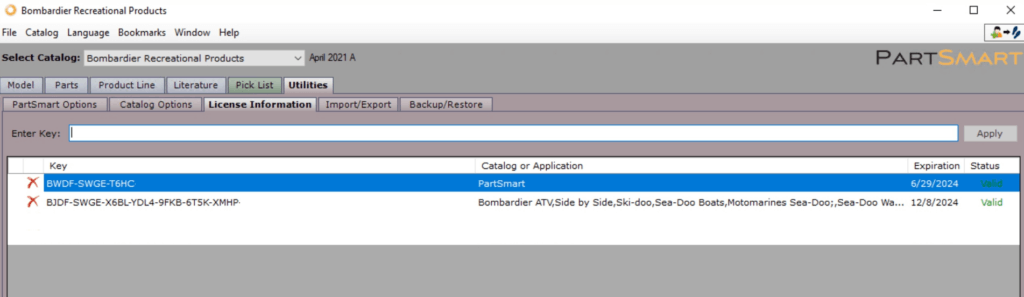
Next, please plan for your dealership to begin using version 10 before the version 8 key expires to avoid disruption to your dealership. Detailed instructions, along with documentation to supportive resources are available at this webpage to help facilitate a smooth transition.
- Boss Web users: If you are accessing PartSmart through Boss Web, please continue to do so. No further action is required.
- PartSmart 10 users: If you are currently logging into PartSmart 10 online (www.partsmart.net), please continue to do so. No further action is required.
- PartSmart 8 (offline) users: If you are accessing PartSmart 8 (offline), refer to the actions below to get started with the latest version.
- If you know your PartSmart 10 account email address and password, login to PartSmart.
- If you know your PartSmart 10 account email address and don’t remember your password, please reset your password.
- If you don’t know your PartSmart 10 account email address or password, please contact Customer Support.
We understand that upgrading software can be a significant undertaking, and we are committed to supporting you throughout this process. If you have any questions or need assistance migrating to the latest version, please reach out to Dealer Spike’s Customer Support team.
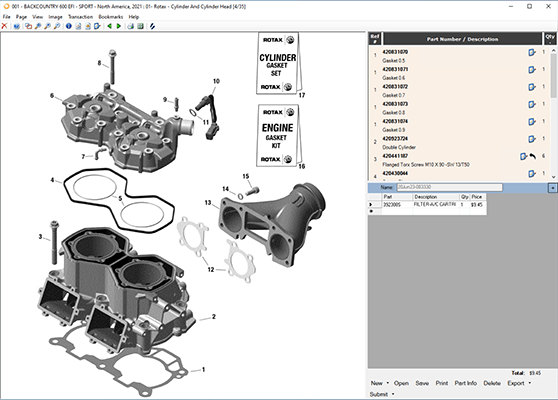
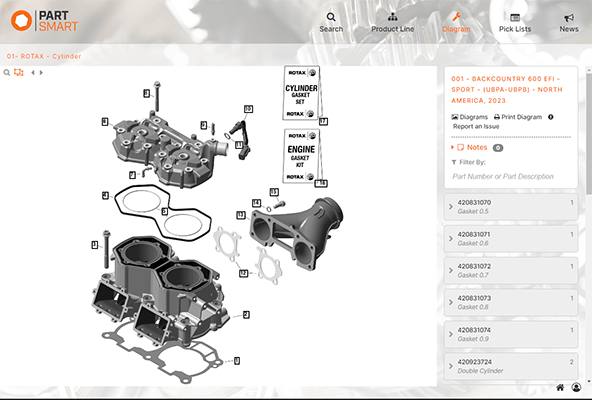
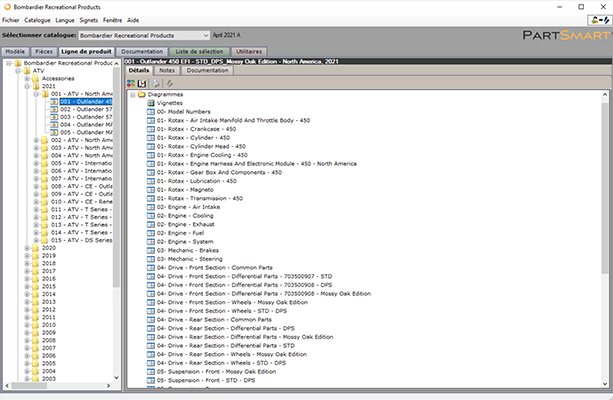
See the Difference: PartSmart v8 and PartSmart v10
PartSmart v8 – English
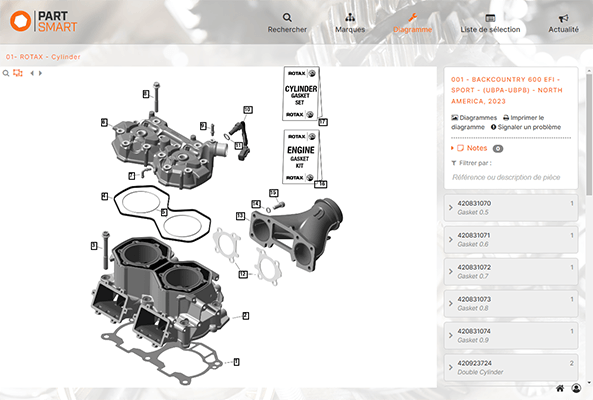
PartSmart v10 – English


PartSmart v8 – French
PartSmart v10 – French


Features and Benefits
Here are just a few benefits you’ll enjoy with the latest version of PartSmart.
- Real-time OEM Data: All OEM catalog data is published in real-time, providing dealers with instant access to the latest replacement parts and pricing information directly from the OEM.
- Enhanced Search: Powered by the most advanced search engine in the industry, enjoy a Google-like smart search with as-you-type suggestions that lets you quickly find models, parts, serial numbers, or VINs across all your catalogs.
- New Interface: PartSmart now works faster than ever as a responsive web-based application. From the counter to the showroom floor, you can take the new PartSmart with you anywhere, as it adapts to fit the screen of any device!
- Streamlined Workflows: The new workflow helps reduce the number of clicks needed, helping dealers order parts from OEMs and Distributors in a faster, more streamlined process.
- Detailed Diagrams: Explore detailed and interactive diagrams and view model/part compatibility across multiple IPLs to easily identify and buy the right part the first time, every time – eliminating part mix ups.
- Part Information: Our part information display helps dealers quickly verify part pricing and availability and features high quality part images so you can see exactly what each part looks like.

Business Management Systems
PartSmart 10 integrates with the following business management systems:
- Basic Software Systems
- Basic Software Systems – Primus
- C-Systems – Enterprise
- C-Systems – Infinity
- CDK Lightspeed EVO
- Charter Software
- DX1
- Dealer Information Systems – DIS
- Dealer Vu
- Epicor
- HBS Systems
- Huggins
- Ideal
- MIC Systems – Commander
- nizeX – Lizzy
- nizeX – SofTek Software International
- Softbiz
- Talon – Harley Davidson Dealer Systems
- Wallace
The following business managements system integrations are scheduled for development by year end 2023.
- BIT – BIT Marine Software
- Dock Master
- Point of Rental Systems
- Ziios
Questions
Why is PartSmart v8 being decommissioned?
Unfortunately, technologies offered by Microsoft and other software companies necessary to support PartSmart 8 are approaching end-of-life or will no longer be supported. Upgrading your business to the latest version of PartSmart built on the latest technologies and next generation platform will ensure uninterrupted service for your business and thereby enable us to serve you even more effectively.
When will PartSmart v8 permanently go away?
PartSmart v8 will no longer function once your license key expires.
When does my PartSmart version 8 license expire?
To retrieve the expiration of your PartSmart v8 license key, click on the Utilities button located on the button bar in PartSmart v8. Additionally, 30-days before the license key expires, PartSmart version 8 will display a banner messaging notifying you of the coming expiration.
When can I start using the new version and how do I access it?
PartSmart 10 is ready for you to start using today. The only thing you need to do is login to PartSmart and create user accounts for anyone at your business that needs access. You can accomplish this with three simple steps:
- To begin, have your PartSmart administrator login to PartSmart with the username and password on file. We have already duplicated your catalog subscriptions on the new platform so PartSmart 10 will be ready for immediate use upon logging in.
- If you know your PartSmart 10 account email address and password, login to PartSmart.
- If you know your PartSmart 10 account email address and don’t remember your password, please reset your password option on the login page.
- If you don’t know your PartSmart 10 account email address or password, please contact Customer Support at 800.558.9044 or email [email protected].
- Once logged into PartSmart10, review our Quick Start Guide to learn more about the features of PartSmart10.
- Create user accounts for anyone at your dealership who needs access to PartSmart. Instructions for creating user accounts are in our Quick Start Guide, and for more detailed information, see our complete online User Guide.
- Once logged into PartSmart, click the person icon next to the home button in the bottom right corner.
- When the pop-up menu appears, choose Advanced Settings.supply a Business Name, Username, and Password for all new users under the Add User heading.
- Click the Add User button. All newly added users will appear under the Existing User heading.
What benefits does the new version offer?
Built from the ground up, this is a whole new PartSmart. But don’t worry, none of the functions you already use will be lost – just upgraded with a new look and feel and loaded with innovative features. Here’s just a few.
Is there an impact on DMS integrations?
PartSmart integrates with many popular DMS systems to allow you to view MSRP, Cost, Price, Bin Location, Reorder Qty, & On Hand Qty from your DMS system within PartSmart, as well as export pick lists from PartSmart back to your DMS for order fulfillment. Please refer to the Business Management System mentioned earlier on this page for a comprehensive list of DMS integrations compatible with PartSmart 10.
How can I get help with the new version?
There are several training resources available at this webpage.
See our online User Guide for complete reference and instructions to help users better understand the features, functionality, and operations of PartSmart 10.
We have also provided a concise and user-friendly Quick Start Guide focused on essential features so you can use PartSmart 10 quickly and easily.
Can I continue to use PartSmart v8 until the end-of-life date?
Yes, you can continue to use PartSmart v8 until the current license key expires.
How do I connect my DMS to PartSmart 10?
Please refer to our online User Guide for instructions on how to connect PartSmart 10 to your DMS.
What if my DMS is not available?
Please contact Customer Support to notify us of your DMS needs.